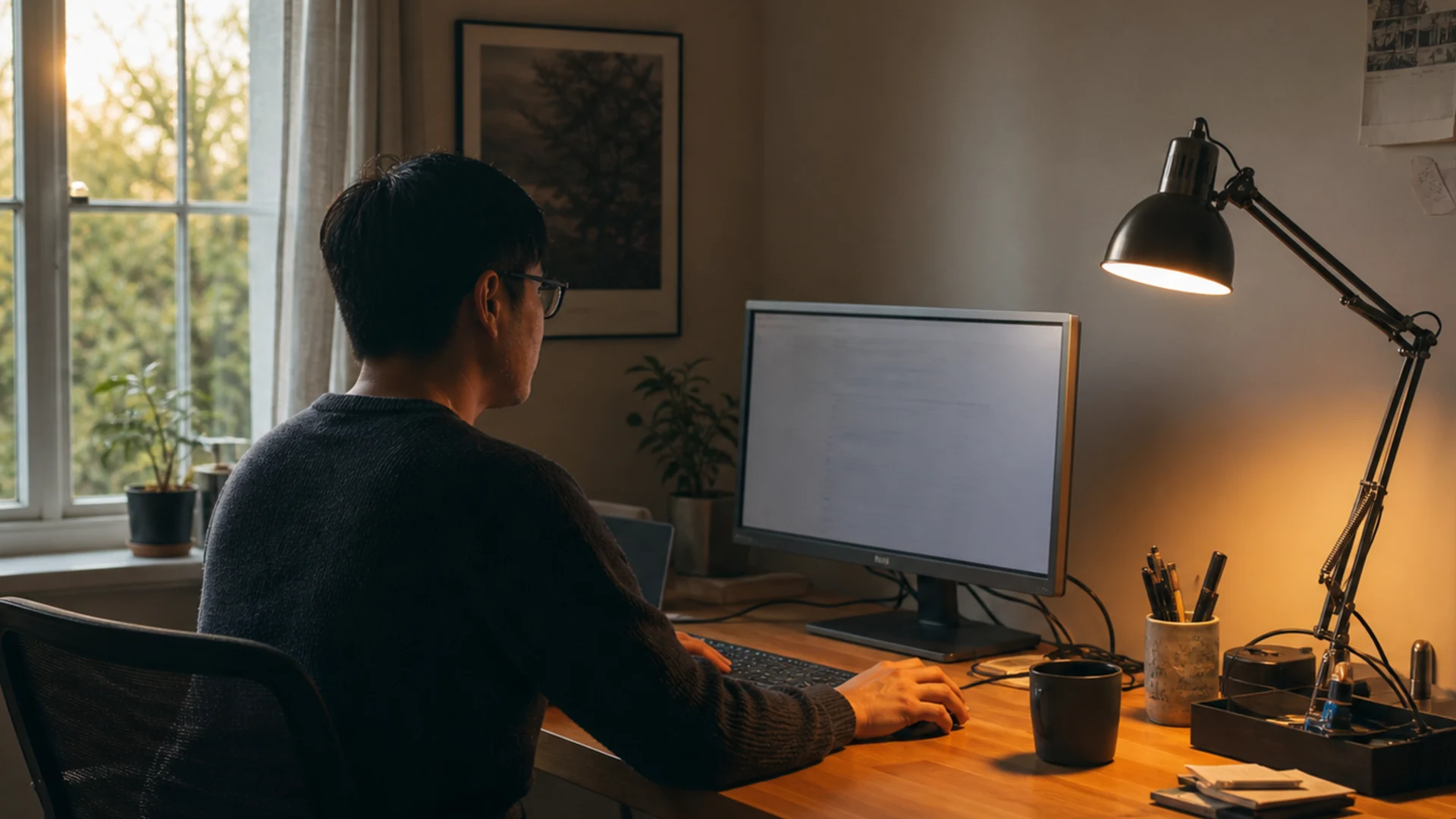
A practical reading of home office lighting guide
Combine ambient and task light instead of asking one source to do everything.
Position light to keep the work visible without screen glare.
This guide contains affiliate links. If you purchase through these links, we may earn a small commission at no extra cost to you. We only recommend products we’ve thoroughly researched and genuinely believe will improve your workspace.
If you’re reading this at the end of a long workday with sore eyes and a dull headache creeping in, your lighting is almost certainly to blame.
Most home offices are lit like kitchens — one overhead fixture pumping harsh, shadowless light onto everything in the room. It works for cooking. It’s terrible for focusing on a screen, reading documents, or looking human on a video call.
This guide covers everything you need to light your workspace properly, from the basic principles that explain why good lighting matters to specific products you can buy today at every budget. No fluff, no fake “we tested 50 lamps” claims — just well-researched advice assembled from lighting designers, vision science, and real user experiences.
Why Lighting Matters
Let’s start with the obvious one: eye strain. Your eyes weren’t designed to stare at a bright screen in a dim room for eight hours straight. When the ambient light around your monitor is significantly darker than the screen itself, your pupils dilate and constrict hundreds of times per minute trying to adjust. That constant struggle fatigues the muscles that control your iris and lens, and within a couple of hours you’re rubbing your eyes and reaching for artificial tears.
The American Optometric Association calls this computer vision syndrome, and poor lighting is one of the top contributors. Symptoms include dry eyes, blurred vision, headaches, and neck pain — all because you craned forward to see a screen that was fighting against a poorly lit room.
But it’s not just physical. Lighting sets the psychological tone of your workspace, and this is where most people underestimate its impact. Warm, dim lighting tells your brain it’s time to relax. Cool, bright lighting tells your brain it’s time to focus. If you’re working under the same warm kitchen light you use to wind down at night, your brain never fully enters work mode. Studies on circadian lighting show that exposure to cooler, blue-enriched light during the morning and early afternoon improves alertness, reaction time, and cognitive performance. Flip side? Too much blue light three hours before bed suppresses melatonin production and makes it harder to fall asleep.
Then there are video calls. Remote work isn’t going anywhere, and your face on camera is now an extension of your professional presence. Bad lighting on a video call — shadows cast across your face, that zombie glow from a backlit monitor — makes you look tired, untrustworthy, and like you don’t care enough to flip a switch. Good lighting makes you look polished, engaged, and human. It’s one of the cheapest professional upgrades you can make.
Here’s the bottom line: lighting is the single most neglected element of the home office, and it’s also the cheapest to fix. A good desk lamp costs about the same as lunch for two. The return on that investment, in reduced headaches and better Zoom presence, is enormous.
The Three Layers of Lighting
Interior designers have been using the three-layer framework for decades, but it works just as well in a home office as a living room. The idea is simple: no single light source can do everything well. You need three distinct types of light working together.
Ambient Lighting
This is the general illumination of the room — what most people think of as “the light.” Ceiling fixtures, recessed lights, and large floor lamps all provide ambient light. Its job is to keep the room from being dark, not to help you read or work. In a home office, ambient light should be soft, evenly distributed, and not too bright. Aim for around 300-500 lux at desk height. If your only light source is a single overhead fixture, you’re going to get harsh shadows and an unflattering top-down light on your face. A good ambient setup uses multiple sources bounced off walls and ceilings rather than pointing directly at you.
Task Lighting
Task lighting is the workhorse. It’s the lamp on your desk that illuminates the specific area where you’re writing, reading, or assembling something. A good task light is adjustable — you can point it exactly where you need it, and you can control its brightness. It should be bright enough to see clearly (500-1000 lux at the work surface) without washing out your screen or creating glare. This is the category where most product decisions happen, because a good task light makes the biggest difference in your day-to-day comfort.
Accent Lighting
Accent lighting is the secret weapon that nobody talks about. It’s the light that adds depth, warmth, and visual interest to a space — think a floor lamp in the corner, LED strips behind your monitor, or a small spotlight highlighting a plant or piece of art. Accent lighting doesn’t help you work directly, but it reduces the contrast between your bright screen and the dark walls behind it, which significantly reduces eye strain. It also makes your office feel like a real room rather than a sad cubicle. This is where smart RGB lights like the Govee floor lamp come in, giving you color options to match your mood or work style.
The magic happens when all three layers work together. Ambient fills the room, task gives you focused illumination, and accent lightens the edges of your vision. Your eyes don’t have to constantly adjust between bright and dark, and the room feels balanced and intentional.
Color Temperature — What Works Best
Color temperature is measured in Kelvin (K), and it’s the scale that describes whether light looks warm (yellow/orange) or cool (blue/white).
- Below 3000K (Warm): Candlelight, sunset, incandescent bulbs. Relaxing, cozy, terrible for focused work.
- 3000K-4000K (Neutral): Soft white to cool white. This is the sweet spot for most offices. It’s bright enough to work under but not harsh.
- 4000K-5000K (Cool): Daylight white. Great for concentration and detail work. Can feel clinical if overused.
- 5000K+ (Very Cool): Direct sunlight, operating rooms. Too harsh for sustained use indoors.
For a home office, aim for 3500K-4500K as your primary task-lighting temperature. It’s bright enough to keep you alert without the sterile feeling of higher temperatures. If you can adjust the temperature on your lamp, use the cooler end during your peak focus hours (mid-morning through early afternoon) and warm it up as the evening approaches. This mimics natural daylight shifts and supports your circadian rhythm.
A quick note on CRI (Color Rendering Index): this measures how accurately a light source renders colors compared to natural sunlight. CRI is rated from 0 to 100, and anything above 90 is excellent for a workspace. Low-CRI lights make colors look washed out and muddy, which is especially noticeable if you do any design work, read printed materials, or just want your face to look normal on camera. Most budget LED bulbs and lamps skimp here, often landing at 80 CRI. If you can afford to pay a bit more for 90+ CRI, it’s worth it.
Reducing Glare on Screens
Glare is your monitor’s worst enemy. It washes out contrast, forces you to crank up brightness (which accelerates eye fatigue), and makes you tilt and twist your neck into awkward positions trying to find a clear angle.
There are two types of glare you need to worry about:
Direct glare happens when a light source is in your field of view. An uncovered overhead fixture, a desk lamp positioned too high, or sunlight streaming through a window behind your monitor can all produce direct glare. The fix is straightforward: make sure no light source is visible above or beside your screen when you’re looking straight ahead. If you can see the bulb, it’s going to cause some level of discomfort over time.
Reflected glare happens when light bounces off your screen into your eyes. This is trickier because the light source could be anywhere in the room. The classic “window behind you” problem is reflected glare — light hits your monitor and bounces back at you, washing out the display.
Here are practical fixes:
- Position your desk perpendicular to windows. If your desk faces a window, you get direct glare from outside. If your back is to the window, you get screen reflections. Sideways is the Goldilocks position.
- Use blinds or curtains. Adjustable blinds let you control how much natural light enters the room throughout the day.
- Choose the right desk lamp. An asymmetrical beam pattern — like the BenQ ScreenBar provides — lights your desk without spilling onto your monitor.
- Add bias lighting behind your monitor. A simple LED strip on the back of your screen reduces the perceived contrast between the bright display and the dark wall behind it, which dramatically reduces eye strain. It doesn’t have to be fancy — a $15 USB-powered strip works fine.
- Adjust your monitor tilt. Tilting the screen slightly downward (3-5 degrees) can reduce reflections from ceiling lights.
- Matte screen filters. If you can’t change your room layout, a matte monitor filter kills reflections. It slightly reduces image quality, but it’s a good trade-off if glare is a persistent problem.
Looking Good on Video Calls
Here’s a truth bomb: the lighting setup that’s best for your eyes is not the same as the lighting setup that makes you look good on camera. Video calls have their own set of requirements, and optimizing for both is a balancing act.
The gold standard for video-call lighting is a three-point setup borrowed from film and photography, simplified for a desk:
Key Light
This is your main light source. It should be positioned about 45 degrees to one side of your face, slightly above eye level, and pointed down at about 30 degrees. The key light should be diffused — not a bare bulb pointing at your face. A desk lamp with a translucent shade or a dedicated LED panel with a diffuser works perfectly. Place it about 18-24 inches from your face. The result is a clean, directional light that gives your face depth without harsh shadows.
Fill Light
The key light creates shadows on the opposite side of your face. A fill light softens those shadows so you don’t look half-lit like a film noir villain. The fill light goes on the opposite side of your face from the key light, about half the brightness. You can achieve this by using a smaller lamp, moving it further away, or bouncing the light off a white wall or foam board. If you have a window on one side, that can serve as your fill. If you don’t have a second lamp, a white piece of paper or foam board placed on the shadowed side will reflect enough key light back to fill nicely.
Back Light / Hair Light
This is optional but takes your video quality from good to great. A small light placed behind and slightly above you, pointing at the back of your head and shoulders, creates a subtle rim of light that separates you from the background. Without it, you blend into the wall. A simple desk lamp behind your monitor, angled up, accomplishes this.
Quick positioning checklist:
- Key light: 45° to the side, slightly above eye level, diffused
- Fill light: opposite side, half brightness or further away
- Back light: behind and above, pointing at your shoulders
- Windows: use as fill or back light, never as key (unpredictable)
- Overhead lights: turn them off. They cast unflattering downward shadows
- Monitor: dim your screen during calls — it brightens your face too much from below
If you only do one thing: get a lamp with an adjustable arm, point it at a white wall at a 45-degree angle from your face, and turn it on before your next Zoom call. The difference will shock you.
Natural Light Optimization
Natural light is the best light. Full-spectrum, high CRI (100, by definition), free, and proven to improve mood, productivity, and sleep quality. A 2014 study from the Journal of Clinical Sleep Medicine found that workers with windows in their office got 46 more minutes of sleep per night than those without, largely because of healthier circadian light exposure during the day.
But natural light needs to be managed, not just welcomed.
Desk positioning relative to windows:
- Facing the window: Great for natural light on your face, terrible for screen visibility. You’ll constantly fight outdoor brightness. If your desk faces a window, you need aggressive blinds or curtains during peak daylight hours.
- Back to the window: This might feel nice — the sun on your back, a nice view when you turn around — but it creates the worst possible screen reflections. Light hits the monitor directly and bounces into your eyes. Many people default to this setup because it “feels” connected to the outdoors, but your eyes will pay for it by mid-afternoon.
- Perpendicular to the window (side-facing): This is the ideal arrangement. The window provides ambient light without hitting your screen directly. Place your dominant hand toward the window if possible — right-handed desk with window on the right — so your writing hand gets natural light and your face is illuminated for video calls.
If you can’t reposition your desk, get adjustable blinds or sheer curtains. Sheer curtains diffuse direct sunlight into soft, even light that works beautifully for both ambient illumination and video calls. Blackout curtains are overkill in most offices — you want to filter the light, not eliminate it.
Another trick: use a mirror. Position a mirror opposite the window to bounce natural light deeper into the room. It won’t create glare if positioned correctly, and it opens up a darker corner of the room effectively.
Product Recommendations
Here are four products that cover the spectrum from budget to premium, each solving a specific lighting problem. These are not “the best on the market” full stop — they’re the best at their price point for the specific use cases described.
IKEA TERTIAL Work Lamp — $15
Best for: Anyone on a tight budget who needs a functional, adjustable task light.
The TERTIAL is IKEA’s classic articulated arm lamp, and it has a cult following for a reason. It’s simple, durable, and incredibly adjustable. The arm extends, pivots, and rotates with just enough tension to hold position without fighting you. It takes a standard E26 bulb, so you have total freedom to choose your color temperature and brightness level by picking your own bulb — grab a 2700K-4000K adjustable LED bulb for another $8 and you’ve got a completely customized task light for under $25.
Specs: E26 base, max 13W LED, max reach 32 inches, clamp or screw base, steel construction, black/white. Dimensions: 7.5" x 16" x 6.3" (base to shade). Available at IKEA.
Tomons LED Desk Lamp — $27
Best for: A stylish, dimmable task light with multiple color temperatures at a budget Amazon price.
The Tomons lamp is one of those rare finds on Amazon that blends form and function without breaking the bank. It has a retro, mid-century modern look — think brass accents and a green or white shade — that actually looks nice on camera. More importantly, it offers three color temperature modes (3000K, 4000K, 5000K) and five brightness levels, all accessible through a simple touch base. The gooseneck arm is fully adjustable, and the weighted base is stable enough for a 27-inch monitor setup. It’s USB-powered, which means you can run it off a laptop or a wall adapter.
The one downside: the maximum height is about 19 inches, so it works best as a close-range task light rather than a room-filling lamp. For reading documents, writing, or illuminating your face on a video call from 18-24 inches away, it’s excellent. The CRI is rated at 85, which is decent for the price but noticeably below premium options.
Specs: 3 color temps (3000K/4000K/5000K), 5 brightness levels, touch control, USB powered (5V/2A), 5W LED, CRI 85, gooseneck arm, weighted base, available in green/white/black. Dimensions: 5.5" base, 19" max height.
BenQ ScreenBar Plus — $109
Best for: Anyone who spends 4+ hours a day at a monitor and wants zero desk footprint.
The BenQ ScreenBar Plus is one of those products that seems overpriced until you use it for a week, and then you can’t imagine working without it. It sits on top of your monitor via a counterweighted clamp — no adhesive, no screws, no permanent attachment. The asymmetric optical design is the key innovation: the light is projected forward onto your desk in a curved beam that specifically avoids the screen surface. No glare, no reflections, no washing out your display. Just clean, even illumination across your work surface.
The Plus version includes a wired dial controller that lets you adjust brightness and color temperature (2700K-6500K) without reaching up to the bar. The auto-dimming mode uses an ambient light sensor to match the room’s brightness automatically. In practice, it works well enough that you can set it and forget it.
This is the single best upgrade for screen-related eye strain. It replaces the need for a traditional desk lamp entirely if your work is primarily computer-based. The one limitation: it only works on monitors with a flat top surface thick enough for the clamp (up to about 1.8 inches). Curved monitors and thin bezel laptops may need the separate ScreenBar Halo model with a weighted base.
Specs: 8W LED, 2700K-6500K adjustable color temp, 15-level brightness, auto-dimming, wired dial controller, USB powered (5V/1A), CRI 90+, asymmetric beam, fits monitors up to 1.8" thick. Weight: 1.2 lbs.
Govee RGBIC Floor Lamp — $60
Best for: Accent lighting, mood setting, and bias lighting behind your desk or monitor area.
The Govee RGBIC Floor Lamp is not a task light. Don’t buy it to illuminate your keyboard. But as an accent light, it’s fantastic. RGBIC means each segment of the lamp can display a different color simultaneously, creating gradients and dynamic effects that a single-color RGB strip can’t match. You can set it to a warm 2700K white for a cozy reading corner, a cool 4500K white for extra ambient fill, or a blue-purple gradient for gaming or creative sessions.
It connects to the Govee Home app via Bluetooth or WiFi, so you can control it from your desk or set schedules. It also works with Alexa and Google Assistant for voice control. The lamp is 61.5 inches tall with a slim profile, making it easy to tuck into a corner behind your monitor or beside your desk.
For workspace use, position it behind your monitor or in a dark corner to serve as bias lighting. The 16 million color options let you match your lighting to your work type — cool white for focus work, warm tones for creative brainstorming, dim reds for late-night sessions when you don’t want to disturb anyone.
Specs: RGBIC (multicolor segments), 20W, 61.5" height, aluminum + PC construction, WiFi + Bluetooth, app controlled, Alexa/Google compatible, 16 million colors, music sync mode. Available in black or white.
Not sure where to start?
Take our 2-minute workspace assessment. We’ll analyze your body, budget, and work style and recommend specific products with a step-by-step setup guide.
Take the Assessment →Comparison Table
| Product | Price | Type | Color Temp | CRI | Best For | Editor's Choice IKEA TERTIAL | $15 | Task (articulated arm) | Bulb-dependent | Bulb-dependent | Budget task lighting | Editor's Choice Tomons LED Lamp | $27 | Task (gooseneck) | 3000K / 4000K / 5000K | 85 | Budget + adjustable temps | Editor's Choice BenQ ScreenBar Plus | $109 | Monitor light bar | 2700K-6500K adjustable | 90+ | Zero-glare screen work | Editor's Choice Govee RGBIC Floor Lamp | $60 | Accent (smart floor lamp) | 2700K-6500K + RGB | N/A (accent) | Bias/accent + color control |
|---|
Frequently Asked Questions
3500K-4500K is the sweet spot for most offices. It's warm enough to feel natural and comfortable but cool enough to keep you alert during focused work. If you can adjust your lamp's temperature, use the cooler end during your peak productivity hours (mid-morning through early afternoon) and warm it up as evening approaches. Avoid anything below 2700K during work hours—it's too warm to support concentration. And anything above 5000K for extended periods can feel clinical and increase eye fatigue.
Yes, with caveats. Natural light has a CRI of 100 (perfect color rendering) and its shifting color temperature throughout the day supports your natural circadian rhythm automatically. But natural light isn't controllable—it changes with weather, time of day, and season. You need blinds or curtains to manage it. The ideal setup uses natural light as your ambient source (side-positioned desk, perpendicular to the window) supplemented by adjustable artificial task lighting for consistent illumination throughout the day.
For reading and writing, you want 500-1000 lux at the work surface. For computer work, the light should be bright enough to illuminate your keyboard and any documents without washing out your monitor. A good rule of thumb: if you can hold a book at arm's length in the light of your desk lamp and read it comfortably, the brightness is sufficient. Most quality task lights offer adjustable brightness—set it so the desk area is clearly lit but the screen remains the brightest thing in your field of view.
A ring light works, but it's usually overkill and creates a very specific look—flat, shadowless, and slightly artificial—that's recognizable as a ring light. A better approach is a desk lamp with a diffused shade positioned 45 degrees to the side and slightly above eye level. This gives you directional light that adds depth to your face while still being flattering. If you really want a ring light, get one with adjustable color temperature and brightness.
Smart bulbs are a great solution because they let you adjust brightness and color temperature without buying a new lamp. Put a smart bulb in an existing lamp and you've got an adjustable task light. The Hue White Ambiance ($25-30) and LIFX Color ($30) are both excellent options. Smart bulbs won't fix a poorly positioned light source, so make sure your lamp is at the right height and angle before upgrading the bulb.
The ideal position is 45 degrees to the side and slightly above eye level. For a right-handed person, position the lamp on the left side (so your writing hand doesn't cast shadows). For a left-handed person, position it on the right. The light should illuminate your work surface without shining directly in your eyes or creating glare on your monitor. If you can see the bulb from your seated position, it's too high or too bright.
Yes—monitor brightness is the primary driver of eye strain because it's the brightest thing in your field of view and you look at it directly for hours. Your monitor should be bright enough to read comfortably but not so bright that it feels like a light source. A good starting point: set monitor brightness to match the ambient light level in your room. If the room is dark, lower the monitor brightness. If the room is bright, raise it.