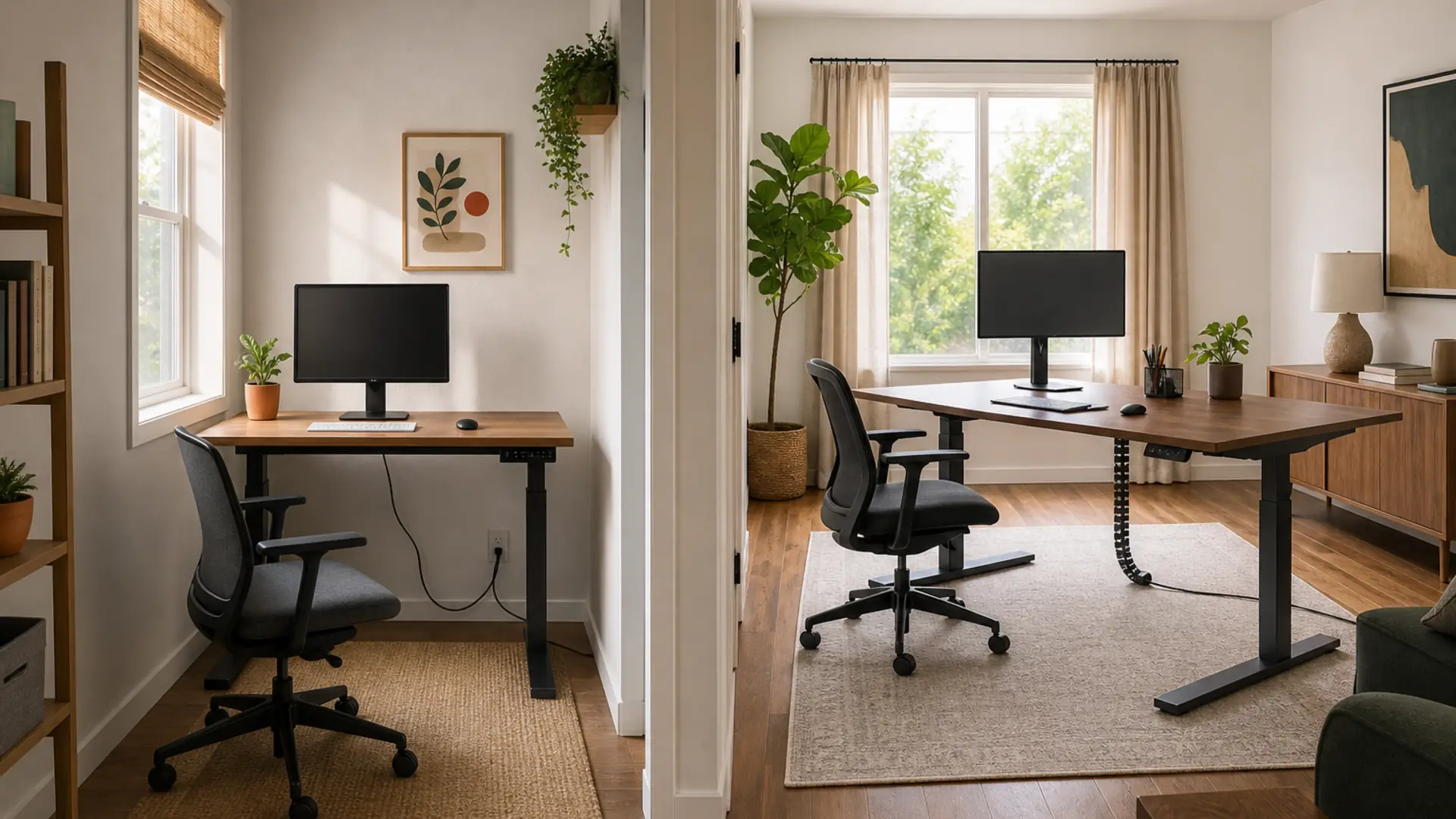
Last updated: June 2026 · 8 min read
Both desks below have changed since this comparison was written. Branch no longer sells a desk under this name, and the old product URL now serves a different desk at $749, so we removed the Branch links rather than send you to a different product at a different price. Uplift has moved on to the V3 frame; its links now point at the current two-leg desk page. Treat the specs here as a record of what these desks were, not as current buying advice — our verified picks are on the deals page.
We research and compare products independently. Some links on this page are affiliate links, which means we may earn a small commission at no extra cost to you. We only recommend products we genuinely believe belong in a healthy workspace.
If you've spent any time researching standing desks, you've landed on the same two names — the Branch Standing Desk ($499) and the Uplift V2 ($599). Both are consistently recommended by reviewers, both have rave customer reviews, and both are priced about $400 less than what you'd pay for a Herman Miller or Steelcase standing desk with similar specs.
But they're not interchangeable. Branch and Uplift made very different tradeoffs to get to their price points, and one of them is almost certainly a better fit for your specific setup than the other. This isn't a "one's good, one's bad" comparison — both desks are excellent. It's about which tradeoffs make sense for how you actually work.
Quick Verdict
Before we dig into the details, here's the short version.
Still with us? Good. Here's the full breakdown of why you'd pick one over the other.
Spec Comparison Table
| Spec | Branch Standing Desk | Uplift V2 |
|---|---|---|
| Price | $499 | $599 (base config) |
| Motor Type | Dual brushless motors | Dual brushless motors |
| Height Range | 25" – 50" | 25.5" – 51.5" |
| Lifting Speed | ~1.5 in/sec | ~1.5 in/sec (standard) / ~2.5 in/sec (accelerated) |
| Weight Capacity | 243 lbs | 355 lbs |
| Desktop Sizes | 48" x 30" (standard) | 42" x 27" up to 80" x 30" (30+ size combinations) |
| Desktop Materials | Solid bamboo (natural, walnut, white) | Bamboo, rubberwood, reclaimed teak, laminate, butcher block, carbon fiber, and more |
| Frame Color | Black or white | Black, white, or gray |
| Memory Presets | 4 presets | 4 presets (upgradeable to programmable controller) |
| Anti-Collision | Yes | Yes (advanced collision detection on programmable controller) |
| Cable Management | Included cable tray | Included cable tray and grommets |
| Frame Warranty | 7 years | 7 years |
| Electronics Warranty | 7 years | 7 years |
| Desktop Warranty | 5 years | 5 years (varies by desktop material) |
| Shipping Cost | Free | Free |
Right off the bat, the specs tell a clear story: both desks use excellent dual-motor systems, both offer 4 memory presets, and both back their frames with a 7-year warranty. The standout differences are weight capacity (355 lbs vs 243 lbs) and customization (Uplift's 30+ desktop options vs Branch's 3 finishes of the same size).
Stability Comparison
Stability is the single most important performance metric for a standing desk. A desk that shakes at standing height isn't a standing desk — it's a frustration device. Here's how the two compare.
At Sitting Height (25–30 inches)
Both desks feel rock-solid at sitting height. There's no meaningful difference between them when the columns are nearly fully collapsed — the overlap in the three-stage legs provides plenty of rigidity. You'd be hard-pressed to tell them apart with your eyes closed.
At Standing Height (40–44 inches)
This is where things diverge. The Uplift V2 is widely considered the gold standard for stability in the sub-$1,000 category. Its 2-inch-thick crossbar, wide T-foot base, and tight manufacturing tolerances result in minimal front-to-back and left-to-right wobble even at full 51.5-inch extension. On a low-pile carpet or hard floor, the Uplift V2 feels planted. With a heavy load centered on the desktop, typing on a mechanical keyboard produces almost no visible screen shake.
The Branch Standing Desk is close — impressively close — but it's not quite at the same level. At 48 inches and above, there's slightly more front-to-back play. It's not distracting for most users; competitor reviews consistently describe Branch's stability as "excellent for the price." With two monitors on arms and normal typing, wobble is barely perceptible. But if you're prone to leaning on your desk, using a heavy monitor arm with a 34-inch ultrawide, or doing precise work that demands a rock-steady platform, the Uplift has a real edge.
With Heavy Loads (100+ lbs)
This is where the weight capacity difference becomes visible. Branch's 243-pound rating handles a typical heavy setup (dual 27-inch monitors, a PC tower on the desk, speakers, and peripherals) without issue. But load the Uplift V2 to the same level, and there's noticeably less strain on the frame. The Uplift's legs are thicker-gauge steel, and the crossbar is more substantial. At 200+ pounds, the Uplift's extra margin feels like a safety buffer — the desk operates like it's barely working.
Winner: Uplift V2, but Branch is closer than the $100 price difference suggests.
Motor Noise and Speed
Both desks use dual brushless motors, which is the right choice at this price tier. Brushless motors are quieter, more efficient, and longer-lasting than the brushed DC motors you'll find on desks under $400.
Noise Levels
User-reported measurements put both desks in the 40–45 dB range during operation. That's quieter than a typical dishwasher (50 dB) and roughly equivalent to a quiet library conversation. In practical terms: you can adjust either desk during a video call without it being disruptive. There's no whining, grinding, or straining sound even under load.
The Branch desk is slightly quieter out of the box — about 42 dB average — thanks to its rubber isolation pads between the frame and desktop, which dampen motor vibration transmission. The Uplift measures around 44 dB, with a slightly more defined "mechanical" sound as the legs operate.
Lifting Speed
Branch lifts at a consistent ~1.5 inches per second across its full height range. The Uplift V2 with the standard controller matches that at ~1.5 in/sec, but if you upgrade to the programmable controller ($60 option), you get an accelerated mode that hits ~2.5 in/sec. That means Uplift can go from sitting to standing height in roughly 8 seconds, compared to about 13 seconds for Branch.
Does 5 seconds matter? In daily use, yes. The faster transition makes you more likely to actually switch positions throughout the day. It's the difference between a quick button press and a noticeable wait. That said, the standard 1.5 in/sec speed is perfectly adequate — it's what most premium desks use — and Branch's smooth, consistent operation is genuinely pleasant.
Winner: Uplift V2 (with programmable controller) for speed. Branch for slightly quieter operation.
Desktop Material Options
This is where the two desks diverge most dramatically in their design philosophy.
Branch: Curated Simplicity
Branch offers one desktop size (48" x 30") in three finishes: natural bamboo, walnut bamboo, and white bamboo. That's it. The bamboo is vertically laminated — individual strips of bamboo pressed together under high pressure — which makes it harder and more dimensionally stable than traditional hardwood. It's also sustainably sourced (bamboo is technically a grass that regenerates in 5–7 years vs. decades for hardwoods).
At $499, getting a solid bamboo desktop is a massive value. Most desks in this price range use particleboard with a laminate veneer. The Branch bamboo is the real thing — you can sand and refinish it if it gets damaged, and it resists moisture better than any MDF or particleboard top.
The tradeoff is that you get exactly one size: 48" x 30". That's a fantastic size for most home offices (it comfortably fits two 24-inch monitors, a laptop, and peripherals), but it's limiting if you need something bigger or smaller.
Uplift V2: Maximum Choice
Uplift offers over 30 desktop configurations across materials, sizes, and finishes. Your options include:
- Bamboo: Natural, brown, or graphite — similar quality to Branch's bamboo
- Rubberwood: Butcher block style in multiple finishes (maple, walnut, gray)
- Laminate: 12+ colors and patterns — the most affordable option
- Reclaimed teak: Salvaged wood with visible grain and character
- Carbon fiber: Modern, lightweight, and distinctive
- Whiteboard: Dry-erase surface for collaborative spaces
- Butcher block: Solid hardwood in maple or walnut
Sizes range from 42" x 27" (compact) all the way up to 80" x 30" (commercial). You can also order the frame only and supply your own desktop — a popular option for DIYers who want a custom hardwood slab or IKEA countertop.
The price changes with each configuration. A 60" x 30" bamboo desktop Uplift V2 runs about $699, while a 72" x 30" rubberwood model hits $750+. The $599 starting price gets you the smallest laminate desktop.
Winner: Uplift V2, by a wide margin, if you need choice. Branch, if you want a premium desktop without the analysis paralysis.
Assembly Comparison
Neither desk is difficult to assemble, but the experience differs in meaningful ways.
Branch Standing Desk Assembly
Branch's design philosophy extends to assembly: fewer parts, clearer instructions. The frame comes mostly pre-assembled — the leg columns are connected, the motor wiring is partially routed, and the control box mounts with just four screws. Your job is to:
- Attach the feet to the legs (8 screws)
- Mount the control box to the underside of the desktop
- Bolt the frame to the desktop
- Attach the cable management tray
- Plug in and go
Most people report 20–35 minutes from unboxing to a fully functional desk. The bamboo desktop comes pre-drilled, so there's no measuring or drilling. Branch includes a hex key and all necessary hardware in a labeled bag.
Uplift V2 Assembly
The Uplift V2 has more parts, more options, and therefore more assembly steps. The frame ships in multiple pieces — legs, crossbar, feet, top brackets, and control box all need to be attached. If you ordered a desktop with grommets and a cable management tray, those need to be mounted too. The process involves:
- Assembling the frame (feet, legs, crossbar — requires a Phillips head screwdriver)
- Routing motor and sensor cables through the legs and crossbar
- Mounting the control box and plugging in all connectors
- Positioning the frame on the desktop and drilling pilot holes (Uplift doesn't pre-drill for custom desktop sizes)
- Bolting the frame to the desktop
- Installing grommets and cable management
Budget 45–75 minutes depending on your experience level. The first-time assembly is the hardest — once you've done it, subsequent builds are faster. Uplift provides clear instructions with labeled steps, and there are multiple video guides on YouTube.
Winner: Branch, easily. It's faster, simpler, and more beginner-friendly without sacrificing build quality. If you're assembling without help, a cordless drill with a hex bit set ($40) can cut assembly time for either desk in half.
Warranty and Customer Support
Both companies offer industry-leading warranties that match or exceed what you'd get from Herman Miller competitors that cost $1,500+.
| Coverage | Branch | Uplift V2 |
|---|---|---|
| Frame | 7 years | 7 years |
| Electronics (motors, control box) | 7 years | 7 years |
| Desktop | 5 years | 5 years (varies by material) |
| Mechanical components | 7 years | 7 years |
| Returns | 30-day, free return shipping | 30-day, free return shipping |
Branch Customer Support
Branch is a smaller company, and their support team reflects that — you get U.S.-based representatives who know the product well. Response times on email and phone are typically within 24 hours. Reviews on Trustpilot and Reddit consistently mention Branch's support as a positive surprise, especially for a desk at this price point. Warranty claims are handled by shipping replacement parts — you don't need to return the whole desk.
Uplift Customer Support
Uplift is the larger, more established company (they've been making standing desks since 1999 under the Uplift brand and earlier iterations). Their support operation is bigger — phone lines, email, live chat, and a comprehensive knowledge base. Response times are similar to Branch (24 hours or less), but they have the advantage of scale: if a specific part fails, they almost certainly have it in stock, and they're known for sending replacements proactively. The warranty coverage is genuinely transferrable — if you sell your desk, the new owner inherits the warranty.
Winner: Tie. Both offer exceptional coverage for the price. Uplift has scale and part availability; Branch offers personal, attentive support.
Value for Money
This is the core question: is the Uplift V2 worth $100 more than the Branch Standing Desk?
At the base config level, the answer is no — the Branch is the better value. You get dual motors, a solid bamboo desktop, 4 presets, a 7-year warranty, and excellent stability for $499. To get a comparable Uplift — say, a 48" x 30" bamboo desktop — you'd pay roughly $649, or $150 more. For that extra money, you get a higher weight capacity, slightly better stability at full extension, and the option for the accelerated programmable controller. But for 90% of users, those benefits won't be noticeable in daily use.
However, value isn't just about the base price. Here's when the Uplift V2 becomes the better value:
- You need a larger desktop. Branch doesn't offer one. If 48" x 30" is too small, Uplift is your only option between these two.
- You have an exceptionally heavy setup. A dual-PC desk with three monitors, studio monitors, and a heavy desktop tower pushes 200+ pounds. The Uplift's 355-lb capacity provides real peace of mind.
- You want a specific aesthetic. Branch's three bamboo finishes look great, but they're not everyone's style. Uplift lets you match your office decor exactly.
- You're outside the average height range. The extra 1.5 inches of range on both ends can matter for very tall or very short users.
For the typical home office user with a standard dual-monitor setup, the Branch delivers 90% of the Uplift experience at 77% of the price. That's outstanding value.
Regardless of which desk you choose, an anti-fatigue mat ($33) and a cable management tray ($25) are worth budgeting for — they'll dramatically improve your standing experience regardless of which desk you pick.
Who Should Buy the Branch Standing Desk
The Branch Standing Desk at $499 is the best-value standing desk on the market today. Here's who should buy it:
- Budget-conscious buyers. If you've set a hard cap of $500, Branch is the obvious choice. Nothing else in this price range offers dual motors, solid bamboo, and a 7-year warranty.
- Standard home office setups. A 48" x 30" desktop with two monitors is the sweet spot for most people. If that's your setup, you're not giving up anything meaningful by choosing Branch over Uplift.
- Average-height users (5'4" to 6'). The 25–50 inch range covers this perfectly. You'll have room at both ends.
- First-time standing desk buyers. Branch's simpler assembly, fewer configuration choices, and lower price make it less intimidating. You get a premium experience without decision fatigue.
- Users who value sustainability. The bamboo desktop is genuinely eco-friendly — it's a rapidly renewable resource that outperforms most hardwoods in density and durability.
The Branch Standing Desk is discontinued as of July 28, 2026 — the link is removed because the old URL now serves a different, more expensive desk. See our current desk picks.
Who Should Buy the Uplift V2
The Uplift V2 starts at $599 and can go significantly higher depending on configuration. It's not the value pick — it's the "I need exactly this" pick.
- Power users with heavy gear. If your desktop setup rivals a recording studio or a gaming command center, the 355-lb capacity is a real advantage, not a spec-sheet flex.
- Customization seekers. Uplift offers over 30 desktop options. Need a 72" x 30" carbon fiber surface in a specific color? Uplift has it. That's unmatched at this price.
- Tall users (over 6'2"). The 51.5-inch maximum height gives you proper standing ergonomics that many desks can't reach. The extra inch over Branch may not sound like much, but at the top of the range, every inch counts.
- Shorter users (under 5'3"). The 25.5-inch minimum is slightly higher than Branch's 25 inches, but Uplift offers a "low-pro" frame option that goes down to 23.5 inches — essential for shorter individuals.
- Users who want the absolute best stability. The Uplift frame is the most stable in its class. If screen shake drives you crazy, the extra rigidity is worth the premium.
- Commercial or shared workspaces. Uplift's wide range of sizes and configurations makes it easier to standardize across a team with different needs.
Frequently Asked Questions
Is the Branch desk as stable as the Uplift V2?
Very close, but not identical. At standard standing height (42–44 inches) with a typical load, the difference is negligible — most users won't notice it. At maximum height (48+ inches) with heavy loads, the Uplift V2 has a clear stability advantage thanks to its thicker frame and wider base. For reference, the Uplift V2 uses 2-inch-thick crossbars vs. Branch's 1.65-inch, and the T-foot base is wider. If rock-solid stability at max height is a top priority, the Uplift is the better choice.
Can I use my own desktop with either desk?
Yes for the Uplift V2 — they sell the frame separately and provide drilling templates for custom desktops. You can bring your own butcher block, countertop, or DIY slab. For Branch, no — the desktop is integrated with the frame and isn't sold separately. The desktop is pre-drilled for the frame mounting pattern. That said, the bamboo desktop that comes with Branch is high quality and hand-picked to match their frame design.
Which desk is better for a 6'4" user?
The Uplift V2. Its maximum height of 51.5 inches (vs. Branch's 50 inches) provides better ergonomic alignment for taller users. At 6'4", you'll want your desk surface around 44–46 inches for standing, and both desks can reach that. But the extra 1.5 inches at the top gives you more breathing room if you prefer a slightly higher typing surface. The standard Uplift frame is the better fit; tall users should also consider the extended-range frame option that goes to 53 inches.
Which desk is better for a 5'2" user?
The Branch desk actually has a slight edge here. Its 25-inch minimum is half an inch lower than the Uplift V2's 25.5 inches. For shorter users, every fraction of an inch below 26 inches matters for seated ergonomics. However, Uplift offers a low-profile frame that goes down to 23.5 inches — you just need to select it during the configuration process. Without that option, Branch is better for shorter users out of the box.
How loud are these desks during operation?
Both desks are quiet enough for shared workspaces and video calls. The Branch Standing Desk measures around 42 dB during operation — slightly quieter due to the rubber isolation pads between the frame and desktop. The Uplift V2 with the standard controller measures around 44 dB. The programmable controller on the Uplift is slightly louder in accelerated mode (about 47 dB) because the motors spin faster. To put those numbers in perspective: a normal conversation is 60 dB, so neither desk will be disruptive.
Do I need a keyboard tray for either desk?
No. Both desks have 30-inch depths that provide plenty of space for a keyboard and mouse directly on the desktop at proper ergonomic height. Adding a keyboard tray is unnecessary for most users and can actually reduce leg clearance. If you do want one, Uplift offers a keyboard tray accessory for the V2. Branch doesn't offer one, which is consistent with their minimalist design philosophy.
Can either desk support a 49-inch ultrawide monitor?
Yes, with caveats. A 49-inch ultrawide weighs 25–35 pounds, which is well within both desks' capacities. The bigger concern is width — the Branch's 48-inch desktop won't have much room to spare around a 49-inch monitor. You'd want the center of the monitor aligned with the center of the desk, leaving minimal space for peripherals. The Uplift V2 in a 60-inch or 72-inch width is a much better fit for ultrawide setups, giving you room for speakers, a laptop, and desk accessories alongside that massive display.
Which desk has better resale value?
The Uplift V2 tends to hold its value better on the used market, largely due to name recognition and the transferrable warranty. On Facebook Marketplace and Craigslist, used Uplift V2 desks typically sell for 50–60% of their original price, especially if you have the original packaging. Branch desks are newer to the market, so resale data is thinner, but early indicators suggest similar retention for the bamboo models. The key is keeping all original hardware and packaging materials.
Can I finance either desk?
Both offer financing through third-party services. Branch uses Affirm and offers 0% APR financing for qualified buyers (typically 6–12 month terms). Uplift uses both Affirm and PayPal Credit, with similar terms. At $499, financing the Branch is more of a convenience than a necessity, but it's available. At custom-configured Uplift prices ($700–$1,000+), financing is more commonly used.
Which desk ships faster?
Branch typically ships within 2–3 business days with standard ground delivery taking 3–7 days depending on location. Uplift V2 lead times vary by configuration — popular combinations (bamboo, standard sizes) ship in 3–5 business days, while custom-sized butcher block or reclaimed teak models can take 2–4 weeks. If you need a desk quickly, the Branch is the faster option. If you need a specific size that only Uplift offers, plan ahead.
Final Verdict
🥇 Branch Standing Desk — $499
- Best for: Value-focused buyers, standard home offices, average-height users, first-time standing desk owners
- Key strength: Premium build at a mid-range price — dual motors and solid bamboo for under $500
- Key tradeoff: Only one size (48" x 30") and three finishes
The Branch Standing Desk is the smartest buy in the standing desk market for the majority of users. It delivers the features that actually matter — dual brushless motors, genuine bamboo desktop, 4 presets, 7-year warranty — at a price that leaves you room for a quality monitor arm, anti-fatigue mat, and cable management. Unless you need a specific size, heavier capacity, or maximum stability at full extension, Branch gives you everything you need and nothing you don't.
Discontinued (July 28, 2026) — link removed; the old URL now serves a different desk at $749. See our current desk picks.
🥇 Uplift V2 — $599+
- Best for: Heavy setups, customization seekers, tall/short users, stability purists
- Key strength: Unmatched configurability and load capacity — the most flexible desk on the market
- Key tradeoff: Base configuration costs more than Branch, and premium desktops push the price significantly higher
The Uplift V2 is the standing desk equivalent of a fully loaded truck: it can handle anything you throw at it, comes in every configuration imaginable, and has a track record of reliability. You pay more for that flexibility, but if you need what Uplift offers — a 72-inch desktop, 355-pound capacity, accelerated lift, or a reclaimed teak finish — no other desk under $1,000 comes close. The stability at maximum height is genuinely best-in-class, and the programmable controller is a nice upgrade for frequent adjusters.
Still deciding? Let the assessment do the heavy lifting.
Tell us about your workspace, and we'll tell you which desk makes sense for your body and budget. No fluff, no guesswork.
Take the Assessment →